Walking is the world's most accessible form of movement. Yet when tackled alone, daily step goals often fall victim to busy schedules, bad weather, or fading motivation.
That is why group step challenges have exploded in popularity among friend circles, family group chats, and workplace teams. Combining social accountability with friendly competition turns ordinary daily strolls into an engaging, shared game.
Whether you want to challenge college friends across different states, motivate your coworkers, or get your family moving together after dinner, here is the complete blueprint to launch a successful group step challenge.
- Choose your challenge goal (Daily target vs. Total volume vs. Squad averages).
- Set the right duration (7 days for quick momentum, 30 days for lasting habit formation).
- Select an automated tracking app to eliminate manual spreadsheet tracking.
- Establish clear, fair rules (manual step filtering, sync windows, baselines).
- Make it effortless to join with instant one-tap links and balanced teams.
- Fuel daily engagement with in-challenge chat, live leaderboard notifications, and milestone badges.
Step 1: Choose Your Challenge Metric and Format
The biggest mistake organizers make is choosing a format that favors only the marathon runner in the group. Choosing the right metric keeps everyone motivated, regardless of their starting fitness level.
Total Cumulative Steps (Classic Race)
Every step taken during the challenge counts toward a single live leaderboard. The participant with the highest total step count at the end wins.
Best for: Highly competitive friend groups with similar daily schedules and fitness baselines.
Daily Consistency (Streak & Ring Goals)
Instead of rewarding sheer volume, participants earn points by hitting their personal daily goal (e.g., 8,000 or 10,000 steps) or closing their daily Activity Rings.
Best for: Mixed fitness levels, beginner groups, and families with kids or older adults where consistency matters more than raw mileage.
Team vs. Team (Squad Averages)
Participants are divided into squads (e.g., Marketing vs. Sales, or Siblings vs. Parents). Leaderboards rank teams by average steps per member, neutralizing squad size differences.
Best for: Workplace challenges, large community groups, and multi-family competitions.
Step 2: Pick the Ideal Challenge Duration
Challenge fatigue is real. If a challenge is too short, habits don't form; if it's too long, participants lose steam midway through.
| Duration | Best Used For | Engagement Level |
|---|---|---|
| 7 Days (Weekly Sprint) | Initial trial runs, busy teams, and urgent holiday competitions. | 🔥 Very High (90%+ finish rate) |
| 14 Days (Two-Week Push) | Head-to-head squad tournaments and mid-length fitness resets. | ⚡ High |
| 30 Days / 1 Month | Habit building, monthly office wellness, and New Year resets. | 🎯 Optimal for true lifestyle change |
Pro Tip: If you are organizing a challenge for the first time, start with a 7-day weekly challenge. It delivers an instant adrenaline rush and gives your group quick proof of concept before committing to a 30-day step challenge.
Step 3: Pick an Automated Tracking App (Ditch the Spreadsheets)
In the past, challenge organizers had to manage Google Sheets, chasing friends every Sunday evening for screenshot proof of their Apple Health or Fitbit steps. This manual overhead causes 70% of DIY challenges to fizzle out within two weeks.
Modern challenges rely on dedicated native apps like Fitness Challenge that automate the entire process:
- Native Sensor Syncing: Automatically pulls verified step data in background from Apple Health on iPhone and Google Health Connect on Android.
- Universal Device Support: Works whether participants wear an Apple Watch, Wear OS device, Garmin, Samsung Galaxy Watch, or just carry their phone in their pocket.
- Fraud Prevention (Manual Step Filtering): Fitness Challenge automatically filters out manually entered steps in health apps, guaranteeing all leaderboard steps represent genuine movement.
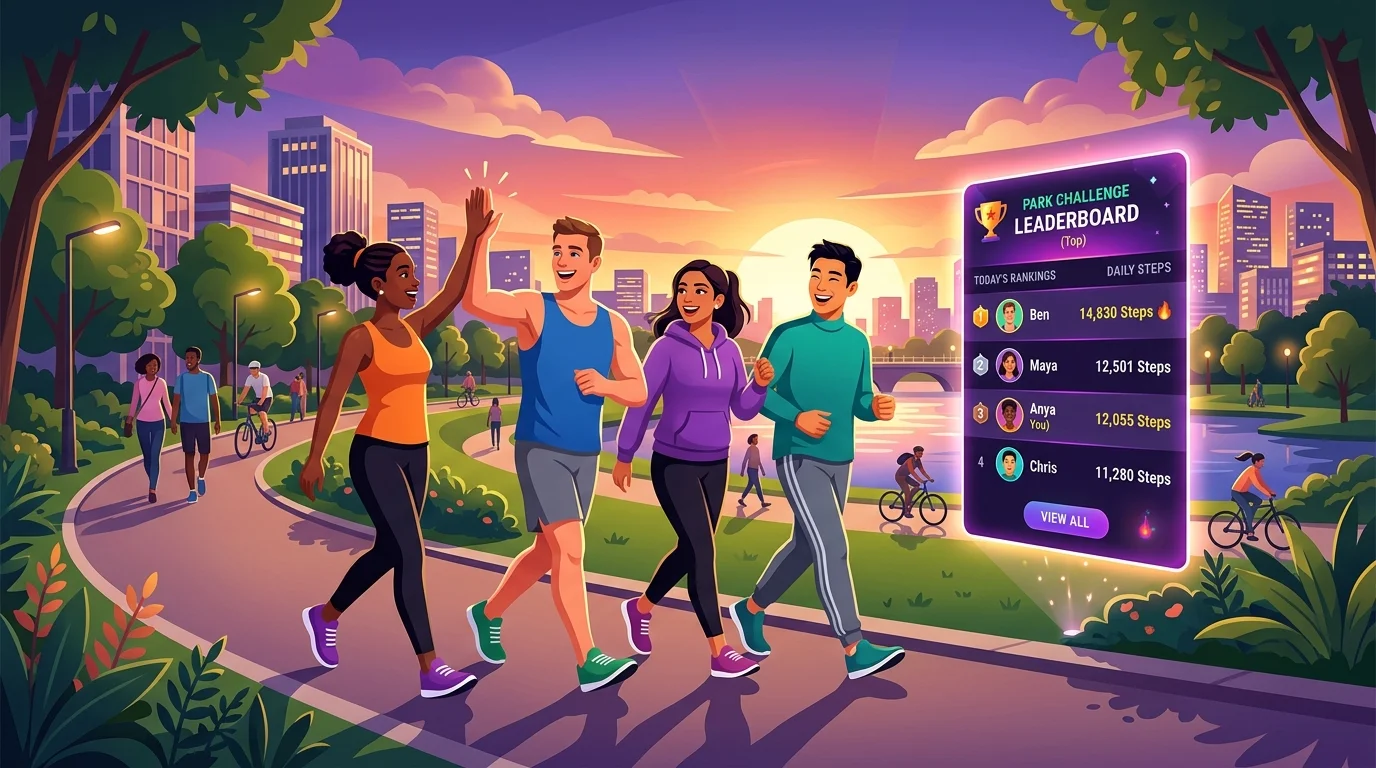
- AI Opponents: If you have an odd number of members or want extra motivation, you can add smart AI competitors like Anya or Blaze to keep the race tight.
Step 4: Establish Fair Rules and Guardrails
Keep your challenge rules straightforward. Overcomplicated rules breed disputes, while clear rules build trust and excitement.
- Automatic Sync Windows: Encourage participants to open the app at least once every 24 hours so their health data syncs to the live cloud leaderboard before midnight.
- Only Sensor-Verified Steps: Make it clear from day one that only pedometer hardware steps count. When using Fitness Challenge, manual step additions in health apps are ignored by default.
- Fair Team Balancing: If doing a team challenge, pair high-volume walkers with moderate walkers to create balanced, competitive squads.
- Equal Activity Conversion: If some members swim, cycle, or use wheelchairs, establish whether equivalent active calories or distance count, or focus strictly on steps.
Step 5: Make It Effortless for Your Group to Join
Friction kills participation. If joining requires creating complex corporate accounts or entering credit card numbers, half your group will drop out before day one.
With Fitness Challenge, setting up a private group takes less than two minutes:
- Download the App: Get Fitness Challenge on iOS or Android.
- Create Your Group: Set up your private club (e.g., "The Sunset Strollers" or "Marketing Mavericks").
- Create Challenge: Choose your duration (weekly sprint, 30 days, or custom) and competition rules.
- Share Your Invite: Share your unique 4-letter group code, direct invite link, or display your in-app QR code in group chats or in person.
- Participants Tap Join: Teammates tap "Join Group" or scan the QR code.
- Authorize Fitness Data Access: Grant background sensor access through Apple Health on iPhone or Google Health Connect on Android.
- Climb the Live Leaderboard: Everyone is instantly populated on the shared leaderboard, updating automatically throughout the day!
Step 6: Maintain Social Momentum & Celebrate
The secret to a challenge that people talk about for months isn't just the final winner—it's the shared encouragement and connection along the way.
- Use In-Challenge Chat: Check in daily, cheer on teammates as ranks shift, and keep motivation high with words of encouragement.
- Celebrate Micro-Milestones: In Fitness Challenge, participants unlock achievements like "Night Owl Walker", "Weekend Warrior", and "Century Club" (100,000 steps). Shout out badge earners in your group chat.
- Reward Consistency, Not Just First Place: Offer a "Most Consistent" award for the person who closed their rings every single day, or hold a raffle where every 10,000 steps earns a raffle ticket.
- Plan the Follow-Up: Once your challenge concludes and the virtual medals are awarded, launch the next weekly or monthly edition immediately while excitement is at its peak!